 TubeGrab
Save videos and audio straight to your computer
TubeGrab is a free, open-source desktop app for downloading from YouTube and the 1,000+ other sites yt-dlp supports. No ads, no account, no tracking.
The Mac version is finished and waiting on its first build. Watch the repo on GitHub to hear when it's out.
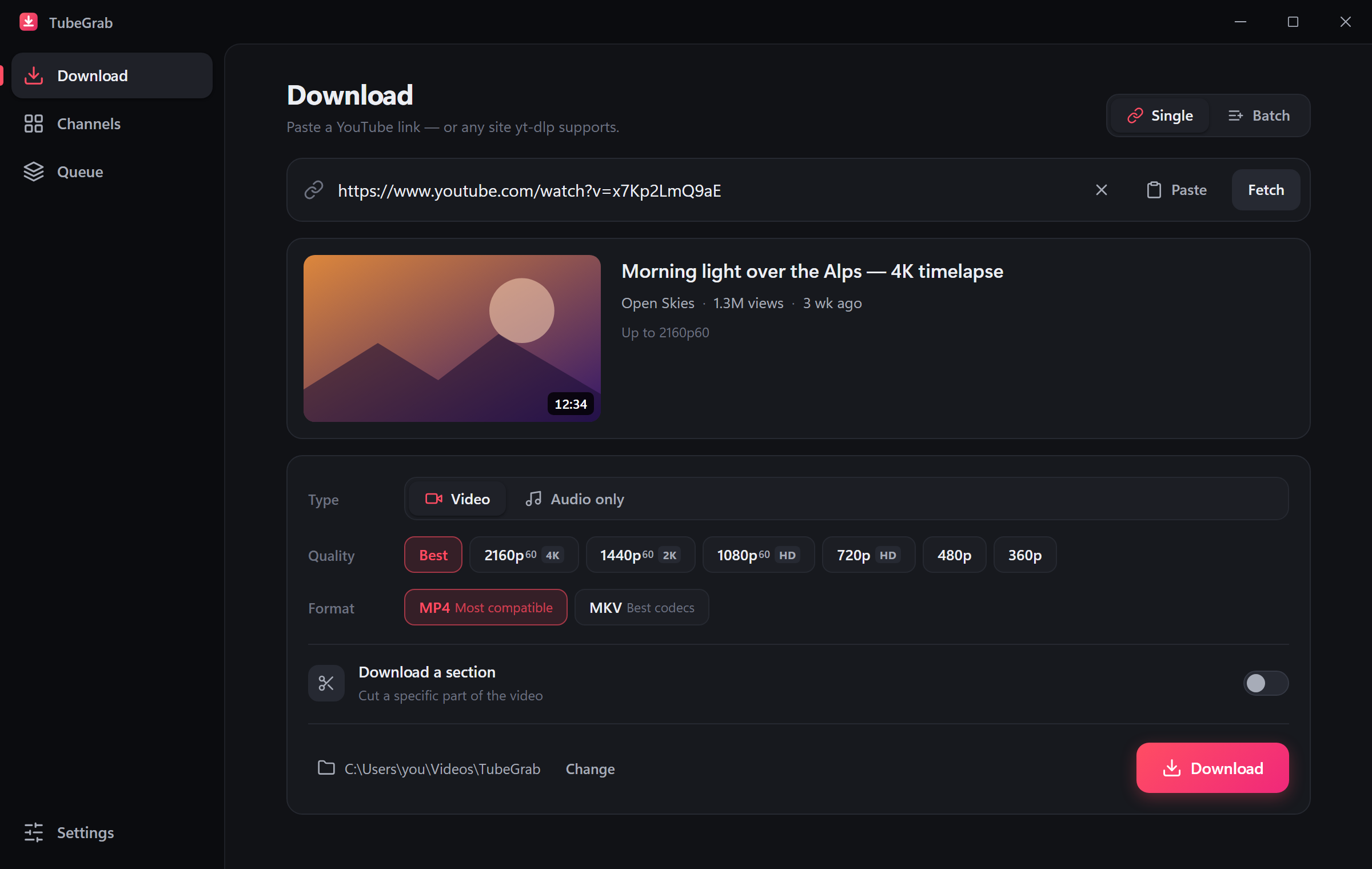
Everything you need, nothing you don't
Paste a link, pick a quality, done. The extras are there when you want them.
Up to 4K and 60 fps
See every available quality before you download. Save as MP4 for compatibility or MKV for the best codecs.
Audio only
MP3, M4A, Opus, FLAC or WAV, with a bitrate picker. Cover art and tags are added for you.
Clip just the part you want
Drag a range or type start and end times. Optional frame-accurate cuts.
Whole channels and playlists
Browse thousands of videos, filter and sort them, select what you want and download it in one go.
Send links from your browser
Optional extension for Chrome, Edge and Brave adds a button and right-click menu. Or just drag a link onto the window.
Keeps itself working
Sites change often. TubeGrab checks its download tools daily and updates them in one click.
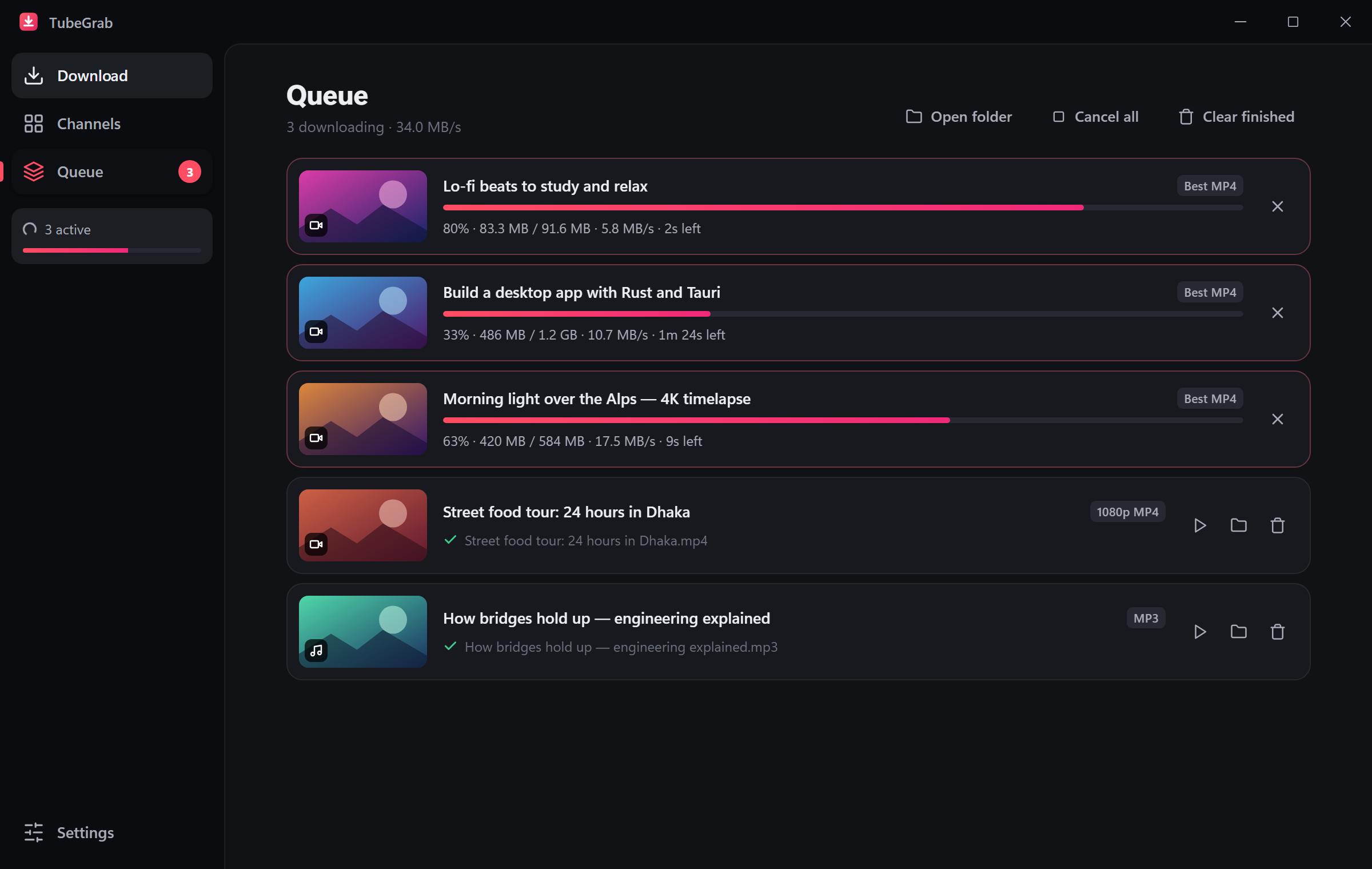
A queue that keeps up with you
Line up as much as you like and get on with your day.
- Up to 8 downloads at once, with live speed and time left.
- Batch mode: paste a list of links, one per line.
- Play or open the folder straight from the list when a download finishes.
- Extras: subtitles, chapters, thumbnails, SponsorBlock, speed limits, light and dark themes.
Up and running in a minute
TubeGrab builds on trusted open-source tools, and sets them up for you.
Download and install
Run the installer. It installs just for you, so no admin rights are needed.
Let setup finish the job
On first launch TubeGrab checks for yt-dlp, FFmpeg and Deno, and installs anything missing with one click.
Paste a link
Press Ctrl + V anywhere on the Download page and the preview appears right away.
Questions
Is it really free?
Yes. TubeGrab is open source under the MIT License. There are no ads, no premium tier, no account and no tracking. The code is on GitHub.
Windows says "Windows protected your PC". Is it safe?
That warning appears for new apps that aren't signed with a paid certificate yet. Click More info, then Run anyway. You can read every line of TubeGrab's code on GitHub, and check the download against the SHA-256 checksum listed on the release page.
What does it install on first launch?
Three free tools: yt-dlp does the downloading, FFmpeg merges and converts files, and Deno helps yt-dlp with some YouTube formats. TubeGrab installs them with winget, Windows' built-in package manager, and only when you click Install. If you already have them, TubeGrab uses your copies.
When is the Mac version coming?
Soon. The macOS version (Apple Silicon and Intel) is written and is waiting on its first build. Watch the repo on GitHub to get notified when it's released.
Which sites does it work with?
YouTube, plus the 1,000+ sites yt-dlp supports. Channel and playlist browsing is built for YouTube.
Downloads stopped working. What do I do?
Sites change often. Open Settings → Components & updates and click Update all. If that doesn't help, open an issue.
Ready to grab something?
Free for Windows 10 and 11. macOS coming soon.